
Infostealer malware is infecting computers and devices to steal personal data on a vast scale, facilitating an alarming rise in fraud, digital identity theft, and social engineering.
Cyber threat intelligence (CTI) solutions such as Cybercheck continuously monitor for exposed credentials and personal data. A key aspect of our credential monitoring service involves detecting passwords and other personal data stolen using infostealers.
In this article, we look inside a real infostealer log file that Cybercheck’s analysts have recovered. This is an example of what criminals see when they open a package of data stolen using an infostealer.
What is an infostealer?
Infostealers, or information stealers, are malware that infiltrates computers or devices to steal data. They’re installed in various ways. For example, from malicious links or attachments in phishing messages, or via shady websites or app downloads.
They can steal various types of data and files. Common targets include usernames and passwords, session cookies, browser history data, bank or credit card details, and other personally identifiable information (PII). Some infostealers can also take screenshots of your device.
The infostealer uploads the stolen information to a server. From there, an attacker can sell it on the dark web, sometimes within days or hours of the device becoming infected. Alternatively, they can use it to launch further attacks. Some infostealers let cybercriminals hijack your device without you noticing, turning it into the zombie of a botnet.
Infostealers are often designed to sidestep antivirus tools and automatically delete themselves when they’ve finished working. This can make them difficult or impossible to detect. Your data can be in criminal hands before you notice that your device has been infected.
To compound the problem, infostealers are inexpensive and readily available. They’re offered over the dark web and illicit Telegram channels on the subscription basis known as Malware-as-a-Service. A criminal can get set-up with an infostealer quickly and cheaply, with no need for advanced technical know-how.
How infostealers work: A silent, system-wide audit
The best way to understand the gravity of the threat is to look inside an infostealer log file. This is a package of stolen information that the malware has extracted.
When you look at an infostealer’s output, the first thing that strikes you is how methodical it is. The malware builds a comprehensive profile that depicts who the victim is and what they do on the device.
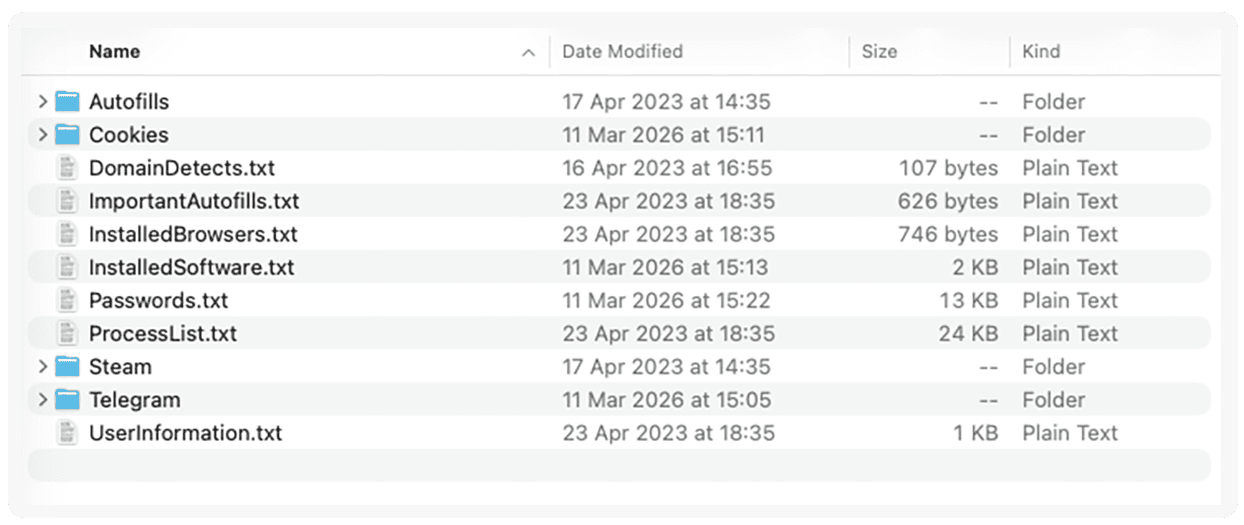
To do this, the infostealer performs a thorough audit of the victim’s digital environment, down to a detailed level.
The UserInformation.txt file reveals the country where the victim was located, and the city. It also contains other system metadata: the hardware ID, operating system, screen resolution, and keyboard layout. The victim’s keyboard was set up in English and Burmese, which gives us another indication of where they probably come from.
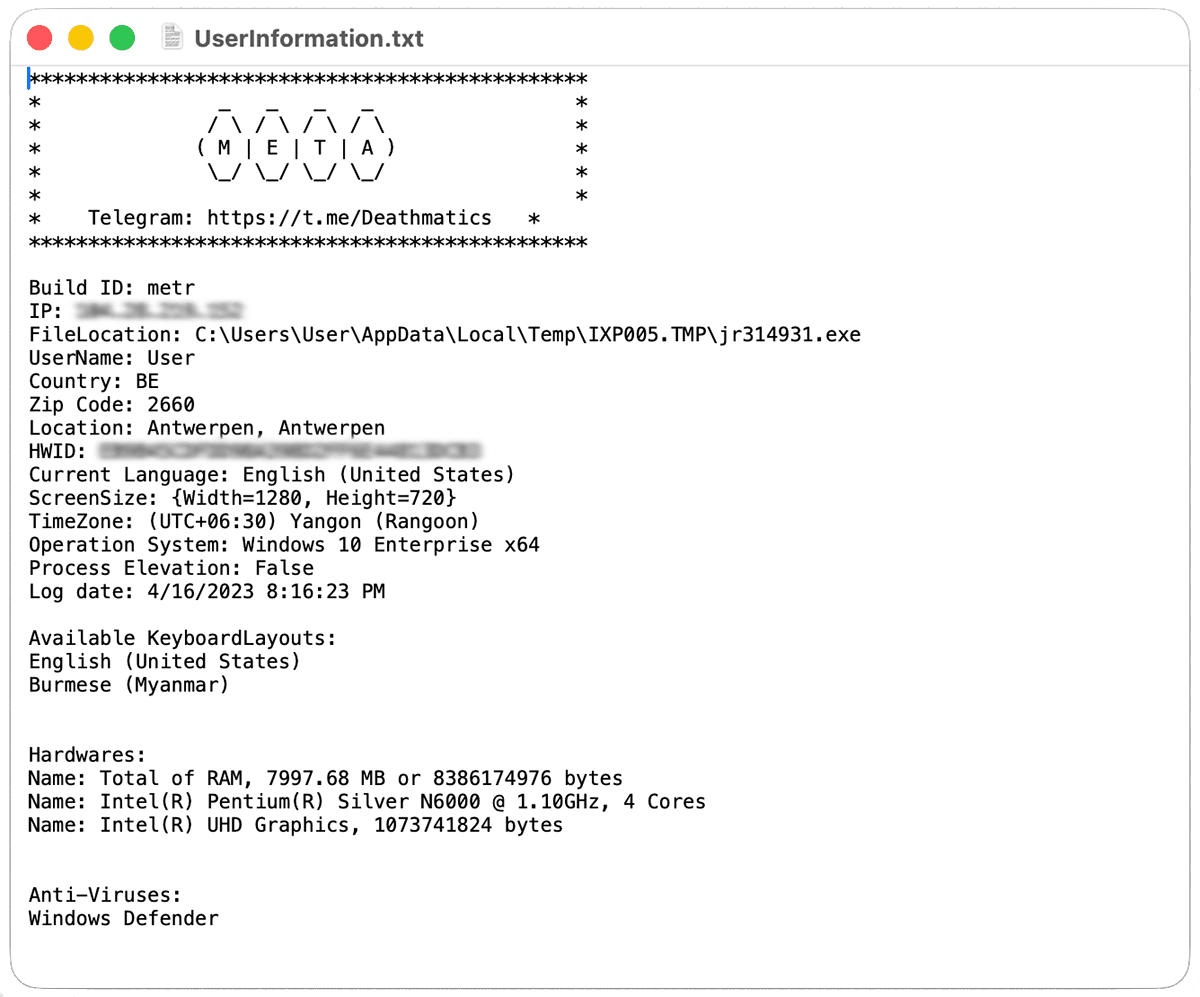
Listing every app you’ve ever installed
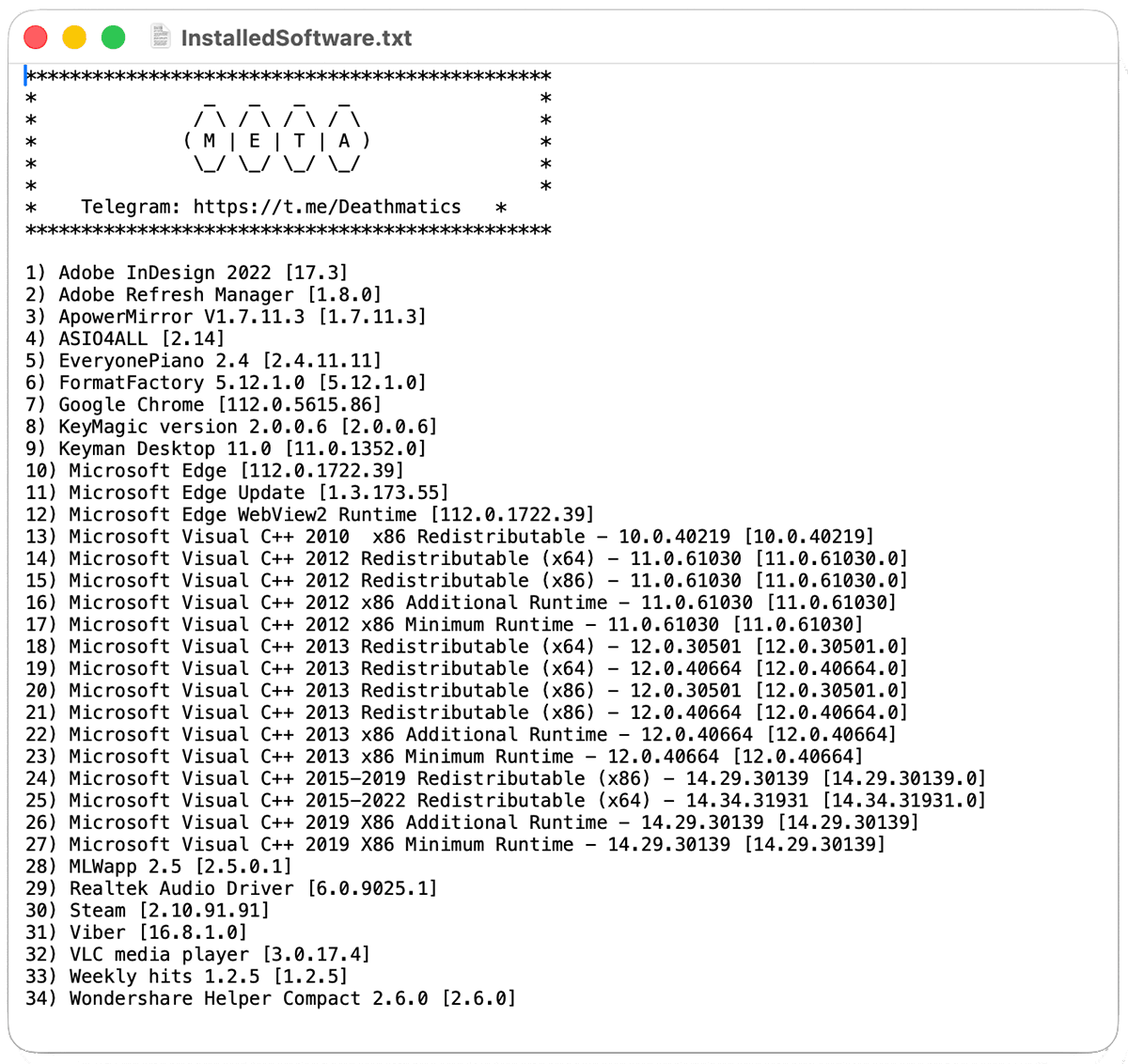
The infostealer has also compiled a list of all the software installed on the device. This adds further detail to the portrait of the victim. For example:
- Microsoft Visual C++ indicates they’re a software developer, while Steam shows they’re also a gamer.
- Adobe InDesign and Photoshop suggest they do some graphic design, perhaps on the side.
- The virtual music teacher, Everyone Piano, suggests how they spend their spare time.
Breaking into your browser: Cookie hijacking and session token theft
Infostealers do their worst damage through web browsers, such as Chrome, Edge, and Firefox, by extracting cookies from their victims’ profiles.
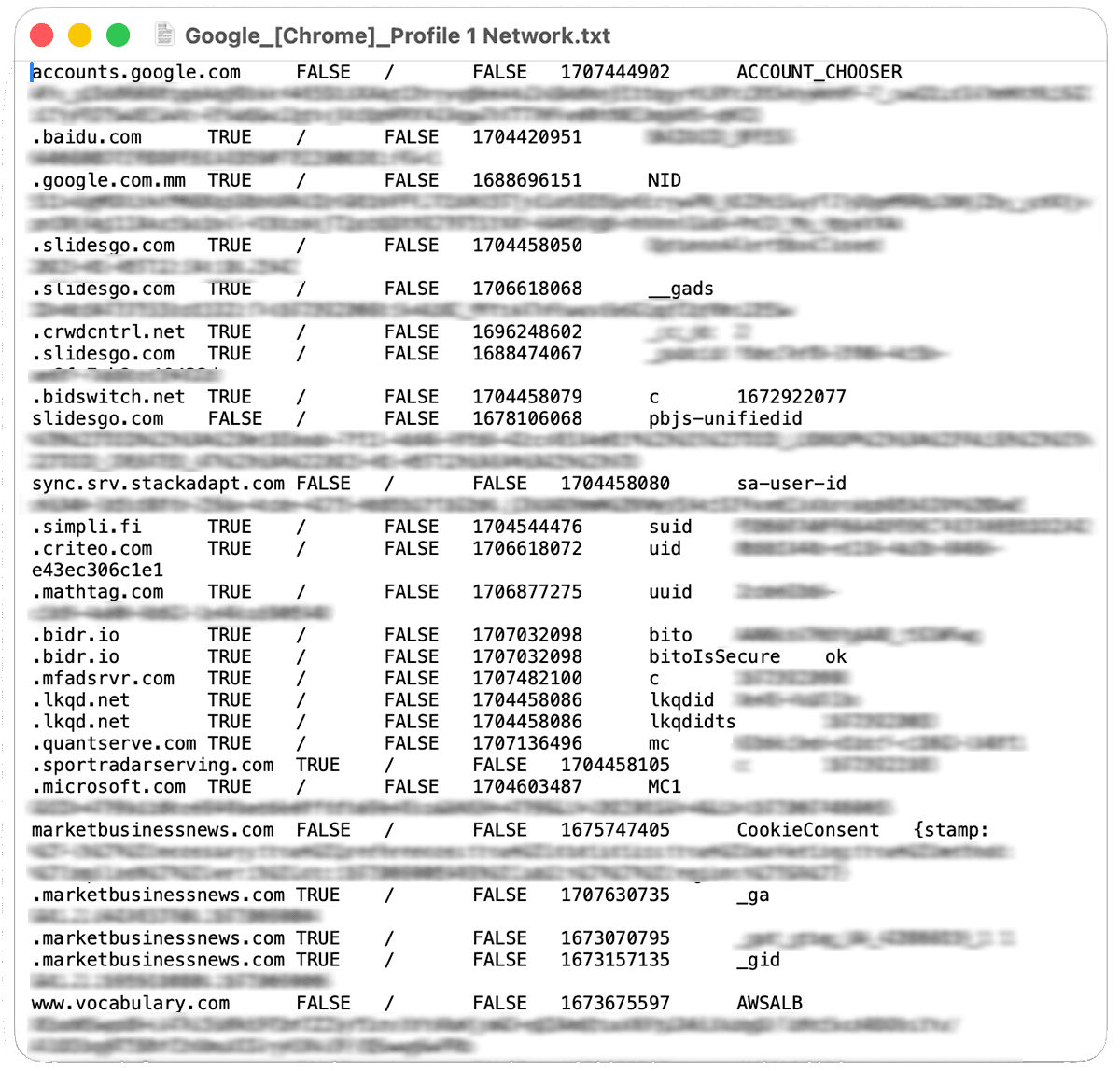
Cookies are authentication tokens. They keep us signed into websites, so we don’t have to enter our passwords every time we want to visit. Effectively, a stolen cookie tricks a browser into thinking it’s continuing an existing session. Browsers store cookies locally as small files, which are a prime target for infostealers. Criminals can use them to sign into a victim’s accounts without their passwords and bypass two-factor authentication.
In our example, the victim had multiple browser accounts.
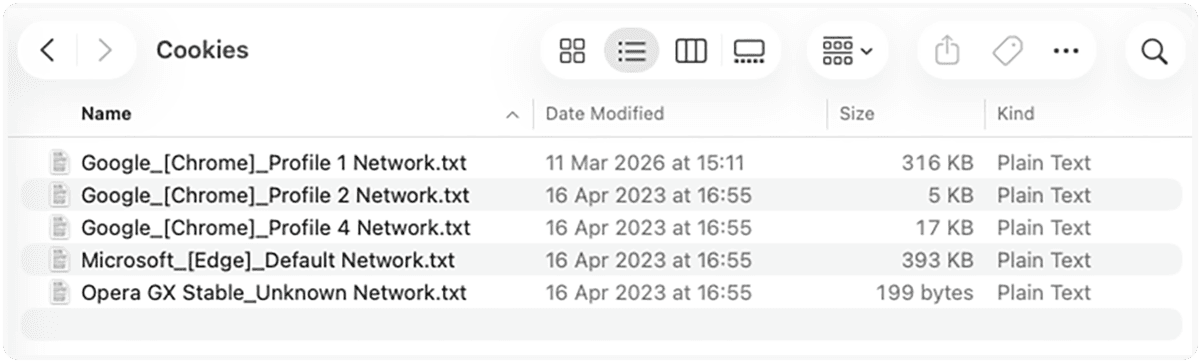
The stolen cookies granted the attackers free, ongoing access to a swathe of the victim’s online accounts and services, including Google and Microsoft.
Autofill data: Stealing your identity piece by piece
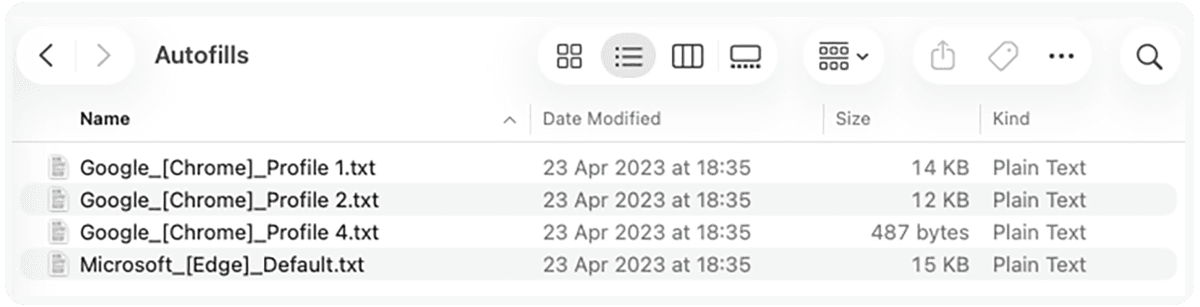
Autofill data lets you store your name, email address, phone number, and other details in your browser so you can fill in online forms without needing to type. Browsers save these details locally on your device. Although they’re harmless on their own, these fragments of information become dangerous when they’re pieced together.
Infostealers extract these items from browsers and combine them to build a detailed digital profile of the victim. Criminals can then use this profile to steal the victim’s identity, craft spear-phishing messages targeting the victim or people they know, or impersonate the victim to break into business systems.
In our example, the infostealer has taken the victim’s email addresses, full name, zip code, phone number, and home address. All this information can be circulating in criminal forums before the victim notices anything is amiss.
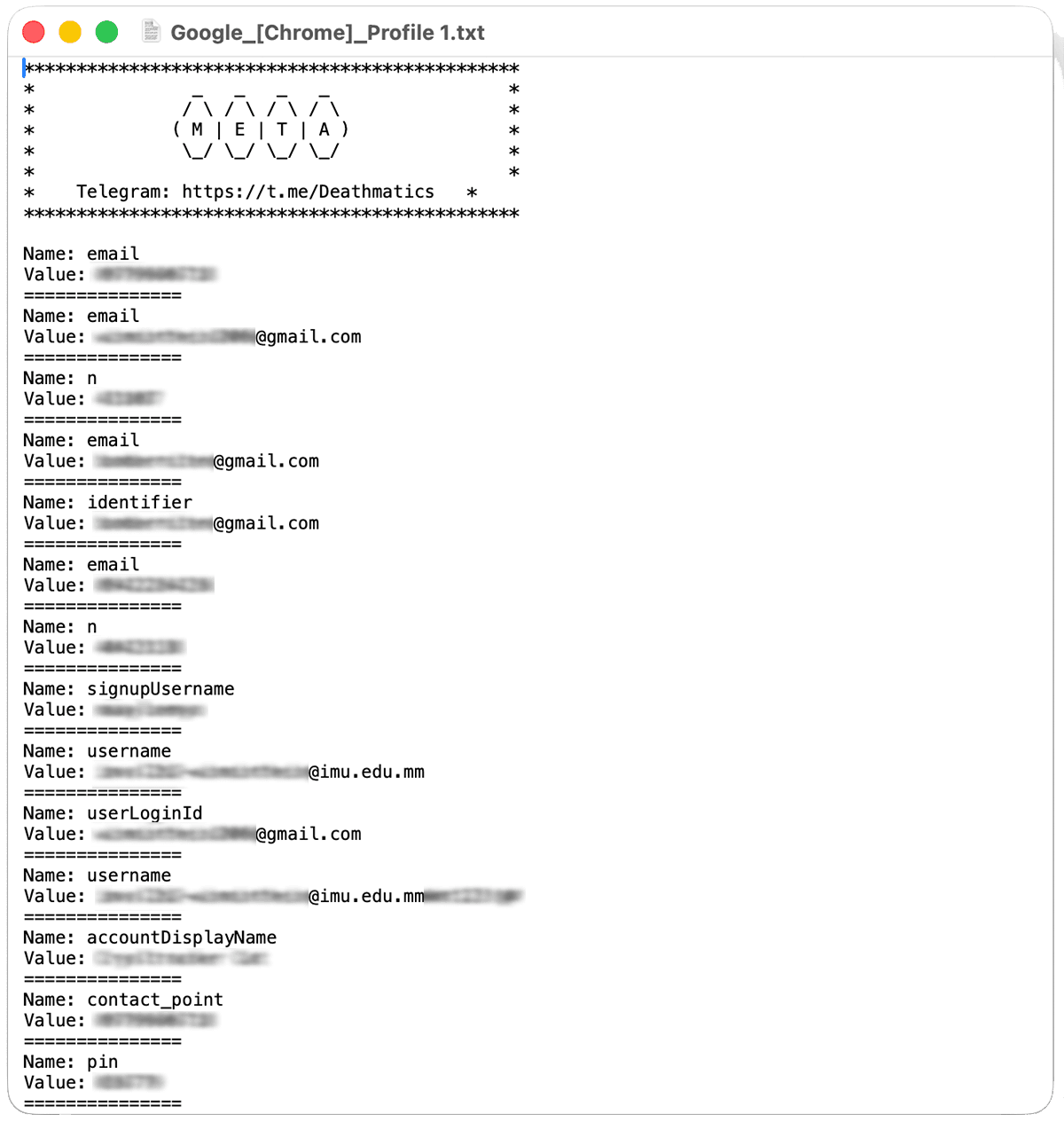
Unlocking your password vault
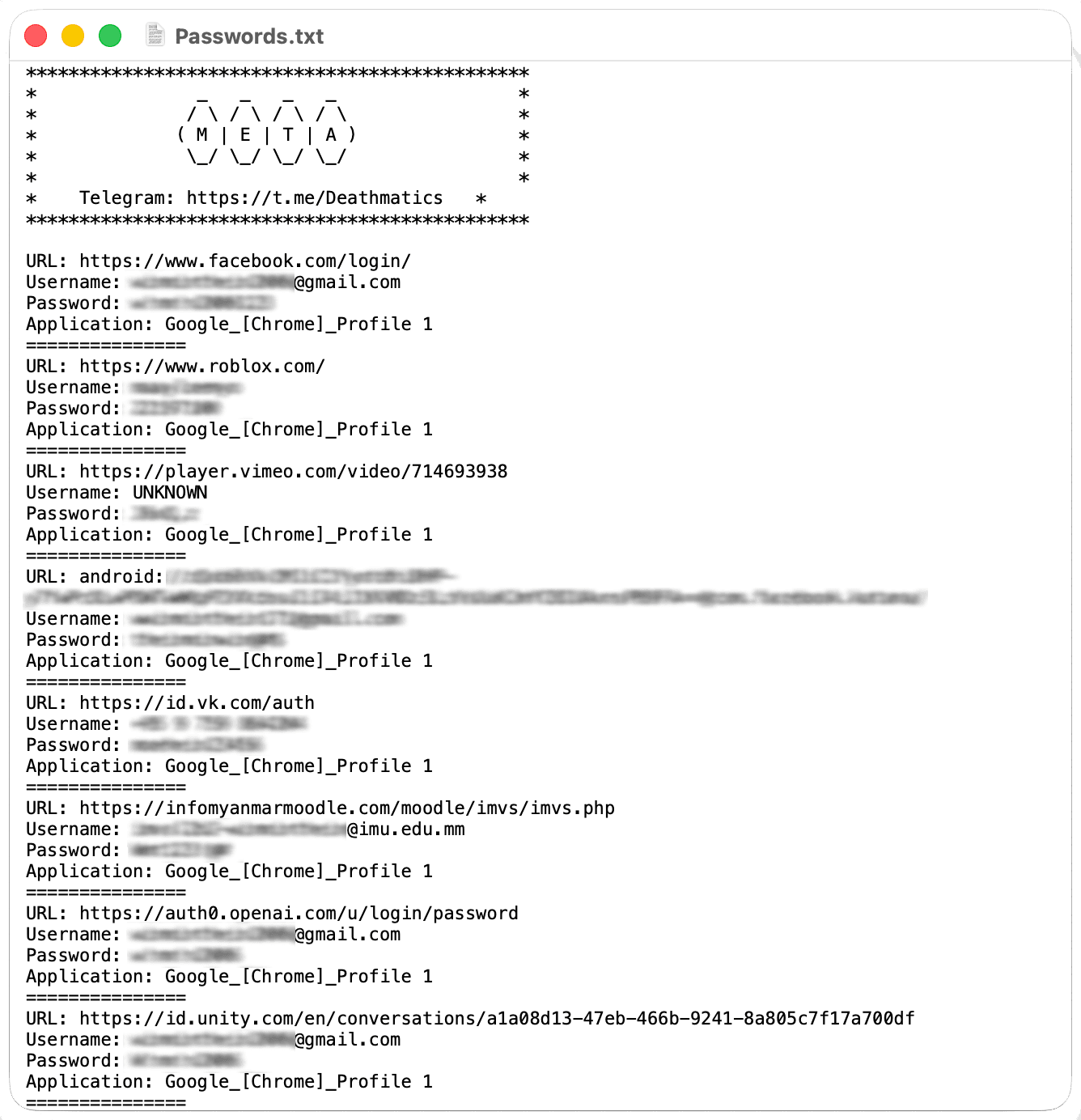
Remembering our passwords is one of the nuisances of modern life. It’s not surprising that so many people save their passwords in the browsers. However, this simple habit is dangerous. Many browsers can’t protect saved passwords against theft by infostealers.
Our example log file contains the victim’s Facebook username and passwords in plain text, plus their passwords for Roblox, Vimeo, OpenAI, Unity, and more. We’ve masked these in the images. The passwords were all different, in accordance with best practice. This shows that even people who are conscientious and security-aware can fall victim to infostealers.
Cross-device contamination
Chrome and other browsers sync your credentials across computers and phones. Password syncing between devices widens the attack surface. An infostealer infection on a single laptop can compromise multiple devices and platforms.
In our example, the victim’s stolen data included passwords identified as coming from Android devices. These include their passwords for Discord, Facebook Workplace, and additional Zoom accounts.
Beyond personal accounts
Mixing work and personal activities on the same device amplifies the risk. Stolen Windows credentials enable impersonation in work chats. Web hosting credentials allow possible website tampering. PayPal and financial service credentials open avenues for fraud.
Infostealers are one of today’s most alarming cyberthreats
Our example file shows how much information an infostealer can grab in about 15 minutes from one device. The results paint a detailed picture of the victim’s personal and professional life, including their work and hobbies.
The folders are organized, and the data is structured. Criminals use automated tools to parse the data into searchable databases. For example, they can run a query such as show me all PayPal accounts or find all corporate email credentials across millions of records. This means they can plan and execute attacks and fraud at speed and scale.
The victim had Windows Defender antivirus software installed, but that didn’t stop the infostealer. They didn’t find out they had been hit until their credentials were found in a threat intelligence feed.
How CTI and credential monitoring can protect you
Our online digital lives are more exposed than many people imagine. At this moment, criminals could be perusing a similar package of data about you or your colleagues.
The earlier you know your data has been compromised, the faster you can respond. A CTI solution such as Cybercheck can:
- Alert you if cybercriminals are exchanging information related to you or your organization. This means you can act immediately to shut out attackers. For example, by changing passwords or blocking cards.
- Integrate with your existing security stack to automate your responses to threats and incidents.
- Highlight risks and areas where you need to act with clear, intuitive dashboards and scorecards.
In today’s threat landscape, a real-time credential and PII monitoring solution is a vital component of a proactive cybersecurity strategy. Cybercheck offers ongoing monitoring of leaked credentials and personal data, detecting breaches that traditional security might miss. Paired with timely action, this reduces attacker dwell time and limits damage.